Guide · Updated September 2026
How to launch a token on Robinhood Chain
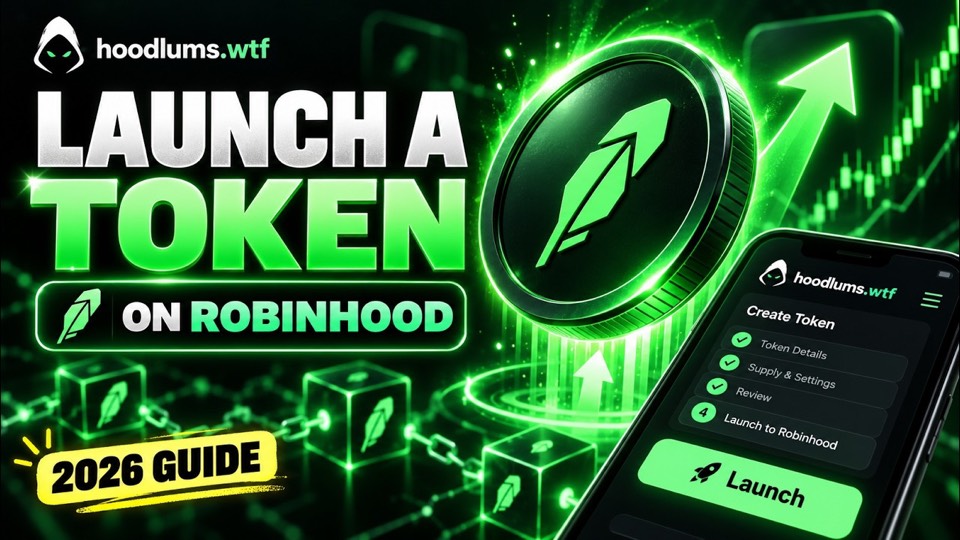
Robinhood Chain is an Ethereum layer 2 built with Arbitrum Orbit. The quickest way to launch a token on it is the Pons V2 launch factory: one transaction creates your token and a bonding curve that holds its whole supply. The video above shows a launch start to finish, and this guide walks through each step with the hoodlums.wtf launcher.
What you need
- A launch wallet, created or imported in your browser. There's no other wallet to connect.
- ETH on Robinhood Chain in that wallet: enough for the Pons launch fee, the 0.0005 ETH hoodlums fee and gas, plus any dev buy.
- A logo, a name and a ticker for your token.
Fund your launch wallet
A launch wallet works on Robinhood Chain from the moment you create it, so there's no network to add. It only needs ETH. Copy its address from the launch wallets page and send ETH on Robinhood Chain to it from any wallet or account that holds some. For getting ETH onto the network in the first place, see Robinhood Chain's documentation.
If the wallet you're sending from doesn't list Robinhood Chain yet, add it with these details:
| Network name | Robinhood Chain |
|---|---|
| Chain ID | 4663 |
| RPC URL | https://rpc.mainnet.chain.robinhood.com |
| Currency | ETH |
| Block explorer | https://robinhoodchain.blockscout.com |
Launching from a fresh dev wallet
Traders on Axiom and other platforms can see how many tokens a wallet has launched, and some pass on wallets they recognise. To start clean, create another launch wallet, open Send on a wallet that already holds ETH, pick the new wallet and send enough for the launch. Then select the new wallet and launch as usual. You keep its private key, and when you're done with it you can archive it rather than delete it.
Launch your token, step by step
Create a launch wallet
On the launch wallets page, create a wallet and save its private key somewhere safe, or import a key you already have. It signs your launches right in your browser, with no wallet pop-ups.
Fund it with ETH on Robinhood Chain
Send ETH on Robinhood Chain to the wallet's address: enough for the Pons launch fee, the 0.0005 ETH hoodlums fee and gas, plus any dev buy. If another launch wallet already holds ETH, use its Send button to move some across.
Add a logo, name and ticker
Upload a PNG, JPG or WebP logo up to 5 MB. Names can be up to 64 bytes and tickers up to 16. A description is optional.
Add your socials
Paste your X post, website, Telegram, Discord or Farcaster links. Each can be up to 256 bytes and goes on-chain exactly as typed.
Set your creator tax
Choose the percentage traders pay on top of the Pons trade fee. It starts at 1%, goes to you, and can't be raised after launch.
Choose a pair asset
Leave it on ETH, or pair with an approved tokenized stock, ETF or USDG.
Add a dev buy if you want one
Enter an amount of the pair asset to buy your own token inside the launch transaction, so you hold it from the first block. Leave it at 0 to launch without one.
Review and launch
Check the fees and summary, then press Launch token. Your launch wallet sends two transactions without pop-ups: the 0.0005 ETH hoodlums fee, then the launch.
Share your token
When the launch confirms, copy your token's address to share it, open it on Axiom, or start the volume bot to give it early buys and volume.
Launch settings explained
Creator tax
An optional fee on every trade, paid entirely to you and charged on top of the Pons trade fee. Pons caps it (10% as of September 2026) and it's fixed once the token launches, so it can never be raised on holders.
Buybacks
When enabled, part of your creator fees buys your token back. Bought-back tokens are locked and released over five years rather than burned.
Pair asset
Most launches trade against ETH. You can instead pair with one of 56 assets Pons approves, such as SPCX, NVDA, SPY or USDG. Buyers then trade in that asset, your graduation target is counted in it and your creator fees are paid in it. The launch fee is still paid in ETH, and the pair can't be changed later.
Dev buy
An optional buy of your own token inside the launch transaction, paid in the pair asset, so you hold your token from its first block. With an asset pair, your wallet needs that asset, and the launcher approves it for the buy first.
Snipe tax exemptions
Every launch opens with a steep tax on buys that falls to zero within seconds, so bots gain nothing by buying first. Your wallet is exempt automatically, and you can list up to 32 more wallets, such as your team's.
Volume bot
Switch on Start the volume bot as soon as it launches and pick a budget and run length. Right after your launch confirms, fresh wallets buy your token, hold, then sell one at a time, and what they sell for comes back to your launch wallet. The volume bot page covers how a run works and what it costs.
What happens after you launch
Your token trades on its bonding curve straight away: the price rises as people buy and falls as they sell. When the curve sells out, the launch graduates into a Uniswap v4 pool whose liquidity is locked permanently.
Your creator fees build up in the Pons fee escrow, in the asset your token is paired with. Claim them whenever you like on My deploys, which also lists every token your wallet has deployed. What others launched with hoodlums.wtf is on Deploys.
What it costs
A launch costs the 0.0005 ETH hoodlums fee, paid as its own transaction first, plus the Pons launch fee (0.0005 ETH as of September 2026), network gas and any dev buy. The launcher reads the current Pons fee from the chain and shows the costs before your wallet signs. The volume bot is optional and priced separately: a 0.005 ETH fee per run, plus its trading fees and gas.
Questions about launching
Do I need to write code to launch a token on Robinhood Chain?
No. The Pons V2 factory is already deployed, so a launch is one contract call. The launcher builds that call from the form, and your launch wallet signs it in your browser.
Which wallet do I launch from?
A launch wallet, created or imported on the launch wallets page. There's no MetaMask or other wallet to connect: the launch wallet's key is encrypted and kept in your browser, and it signs launches without pop-ups. Fund it with ETH on Robinhood Chain: enough for the Pons launch fee, the 0.0005 ETH hoodlums fee and gas, plus any dev buy.
Why does launching take two transactions?
The Pons factory only accepts a launch transaction carrying exactly its launch fee, so the 0.0005 ETH hoodlums fee can't ride along. It goes first as a plain ETH transfer, and the launch follows once it confirms.
Can I launch from a fresh wallet each time?
Yes. Traders can see how many tokens a wallet has launched, so some creators start each launch from a new wallet. Create another launch wallet, use Send on a funded one to move ETH into it, select it and launch. You keep its private key, and you claim its creator fees on My deploys while it's selected. The transfer between your wallets is public on-chain.
Can I buy my own token when it launches?
Yes. Add a dev buy and your wallet buys in the launch transaction itself. You can also buy on Pons afterwards: your launch wallet is exempt from the opening snipe tax, so it skips the steep tax that hits buys in the first seconds.
Where are my token's name, logo and links stored?
The name, ticker, description and socials are written to your token's contract on Robinhood Chain. The logo is published to IPFS, and the token stores its ipfs:// link.
Can I get volume on my token right after launching?
Yes, with the volume bot. Switch it on in the launcher, or start it after launching. Fresh wallets buy your token, hold, then sell one at a time, and what they sell for goes back to your launch wallet. A run costs a 0.005 ETH fee plus trading fees and gas.
Copy an existing token instead
If you'd rather start from a token that already exists, you can vamp a Robinhood token: paste its address and the launcher copies its details for you.
Related guides
- How to launch a token on Arc with Argus: a USDC pool from the first block, with your own buy and sell tax.
- How to launch a token on Arc with o1: no custom taxes, and half of a 1% trading fee goes to you.
- How to launch a token on BNB Chain with Flap: tax or no-tax tokens on a Flap bonding curve, paid for in BNB.
- All token launch guides, with a side-by-side look at each launchpad.